
Build a legal-contract QA assistant with a custom domain pack
By the end of this tutorial you'll have a small language model that answers questions about clauses inside a body of commercial contracts, cites the clause it pulled, and refuses cleanly with a legal-appropriate refusal phrase ("I can't provide legal advice; consult counsel") when context is insufficient. The interesting part is not the model — it's the custom legal domain pack that overlays the platform defaults with tighter registry gates and legal-text hook plumbing. You'll build that pack from scratch, because BrewSLM doesn't ship a legal one.
Before you start
This tutorial assumes BrewSLM is running locally at http://localhost:5173 with an admin user signed in. If you haven't done that yet, complete Tutorial 0 — Set up BrewSLM and your first project first.
This tutorial is the natural follow-up to Tutorial 1 — Support FAQ with rag-protocol. T1 walks the rag-protocol recipe with platform defaults; T8 walks the same recipe with a custom domain pack on top. You can follow this one cold — the recipe is reintroduced — but the focus is the pack layer.
You'll want ~80 (clause, question, answer-with-citation) triples from public corpora (CUAD is easiest) or your own contract archive.
Terms you'll see in this tutorial (click to expand)
- Recipe
- The training-plan template you pick when creating a project. For this tutorial:
rag-protocol. Defines base model + adapter + default eval pack (the pass/fail rule set in the BrewSLM UI). - Domain pack
- A typed configuration bundle that overlays defaults on top of the recipe — dataset split, training defaults, registry gates, plus hook references (normalizer / validator / evaluator). The platform seeds one default pack (
general-pack-v1); vertical packs are user-built. - Overlay
- The fields inside a pack contract that override platform defaults:
dataset_split,training_defaults,registry_gates. Merged at pack-assignment time, not reapplied at runtime. - Registry gates
- The thresholds the pack imposes for promotion from training to staging or staging to production (min F1, min llm_judge_pass_rate, min safety_pass_rate, max regression vs prod). Independent of the eval pack but stack with it.
- Eval pack
- The pass/fail rules your trained model is scored against — shown as the project's rule set on Results → Verdict (picked on Results → Failures). For rag-protocol the default is
evalpack.rag_protocol.discipline— four required gates (citation rate ≥ 0.75, hallucination rate ≤ 0.15, appropriate refusal rate ≥ 0.80, F1 ≥ 0.55) plus two optional ones. - Adapter
- The mapping layer that converts your rows into training-ready fields. For rag-protocol the adapter is
rag-grounded— it reads (context, question, answer) triples. - Citation marker
- The
[#1]token in an answer that points at the source clause. The training signal the model imprints from gold + synth. - Canonical refusal phrase
- The recognisable refusal shape. Platform default: "I don't have enough context to answer that." For legal we swap it via gold + synth (not via the pack — see the synth section).
Legal QA is the vertical where the recipe-and-pack split earns its keep. The recipe (rag-protocol) handles the protocol-level discipline every legal QA system needs — cite the clause, refuse cleanly, hold format. The domain pack carries the legal-specific overlays compliance will insist on — tighter registry gates, the hooks that normalise legal text. Derive those conventions once, store them in a typed contract, assign at project-create time. The end state is a contract-clause QA model that runs entirely on the legal team's own hardware (privileged material doesn't leave the VPC), pulls the right clause from a 200-page agreement, and refuses with "consult counsel" rather than extemporise legal advice.
What you'll build
A contract-clause QA assistant with tighter-than-default citation discipline. Concretely:
- "What is the limitation of liability cap under the MSA?" → "The MSA caps each party's aggregate liability at twelve months of fees paid under the agreement, except for breaches of confidentiality or indemnification obligations
[#1]." - "Can my counterparty assign this contract to a competitor?" (clause does not address competitor restrictions) → "I can't provide legal advice; consult counsel. The retrieved clause governs assignment generally but does not explicitly address assignment to competitors."
- "What's the change-of-control termination notice period?" → "Either party may terminate within sixty (60) days of a change of control by delivering written notice
[#1]."
The model is a fine-tuned LoRA adapter on top of SmolLM2-135M-Instruct, sub-500ms latency on a single GPU, BM25 retrieval over your archive sitting next to the adapter. Inference is entirely on your hardware — contracts never leave the network.
Key idea
The rag-protocol recipe trains the protocol; the legal pack tightens the registry gates and the hook plumbing. Same trained adapter could in principle work for employment law, IP licensing, or M&A — different pack and different retrieval index per vertical, treated as siblings of the same recipe family.
Why a small model + custom pack (not regex, not a frontier API, not qa-sft)
- Regex / template extractors
- Lawyers don't write template English. "Notwithstanding the foregoing", "subject to Section 7.2", "in no event shall either party be liable for…" — paraphrased across firms, jurisdictions, and decades of drafting fashion. Regex catches structurally familiar clauses; it misses everything else. Useful as a coarse pre-filter, not the QA engine.
- Frontier LLM via API
- Quality is good; architecture is not. Contracts are privileged material; many carry NDA restrictions that prohibit sending text to third-party APIs at all. Per-call cost compounds fast in legal volumes (an M&A diligence run is tens of thousands of clauses). You're also importing a foreign jurisdiction's data-residency assumptions into your compliance posture.
- qa-sft (memorise the answers in weights)
- Wrong recipe. Legal facts change with jurisdiction, statutory amendments, and contract version. A model that memorised the cap in the v3 MSA will confidently quote that number after v4 renegotiated it. Quarterly retrains, with the model still silent about which version it learned from.
- rag-protocol + custom legal pack (this tutorial)
- The protocol stays the same regardless of which contract is being asked about. Facts live in the BM25 index over your archive — refresh on every new contract, no retrain. The pack carries tighter registry gates and the legal-text hook plumbing. The model hosts on the legal team's own machines. Audit trails fall out: every answer cites a clause, every refusal cites the same phrase, every retrieval is loggable.
Choose your dataset
You need (clause, question, answer-with-citation) triples — same shape as T1, but the "context" is a contract clause. Four sources:
- CUAD — the canonical legal-NLP spine
- Contract Understanding Atticus Dataset (CUAD) ships 500+ commercial contracts hand-annotated by attorneys across 41 clause categories — change-of-control, governing law, indemnification, limitation of liability, IP assignment, non-compete. Annotations are spans-with-types; template them into question/answer pairs. 80-150 templated rows is a healthy gold-set spine.
- LexGLUE — the multi-task legal benchmark
- LexGLUE packages seven legal-NLP sub-tasks across multiple jurisdictions. Good warm-up exposure to legal-text shapes; don't ship it as gold (task framing too varied).
- ContractNLI
- NLI-style annotations over contracts: clauses paired with hypotheses labelled entailed / contradicted / undetermined. The shape isn't directly QA, but indeterminate rows are natural seeds for the REFUSALS playbook.
- Your in-house contract archive (production data)
- Pair your team's standing interpretive notes with the clauses they reference. This is the dataset that matters at deployment — your drafting conventions, your customer base, your jurisdiction. Most in-house archives carry NDA-style restrictions and some text may be attorney-client-privileged.
Privilege is not a stylistic concern
If any data touches attorney-client privileged material, the platform's synthetic playbooks default to calling out to a teacher model (Ollama localhost, OpenAI / Anthropic / DeepSeek via API). The localhost path is fine; third-party APIs are not. Switch the playbook backend to your local Ollama before running synth over anything privileged. If unsure whether a contract is privileged, treat it as if it is.
Ingest and map
Create a new project: Projects → + New Project, then pick the rag-protocol recipe under Train → More options → Task type. The recipe pre-fills the adapter (rag-grounded), task profile (rag_qa), scoring mode (field_match), and default eval pack (evalpack.rag_protocol.discipline). The project gets the platform's default pack (general-pack-v1) at create time; we'll swap it for our custom legal pack in the next section.
Then Data → Sources → Import dataset (auto-mapping) → Import dataset →. Point the wizard at your JSONL. Its Map step proposes:
{
  "context": "Notwithstanding any other provision of this Agreement, in no event shall either party's aggregate liability under this Agreement exceed an amount equal to twelve (12) months of fees paid by Customer hereunder, except for liability arising from a party's breach of its confidentiality obligations under Section 8 or its indemnification obligations under Section 11.",
  "question": "What is the limitation of liability cap under this Agreement?",
  "answer": "The Agreement caps each party's aggregate liability at twelve (12) months of fees paid by Customer, except for breaches of the confidentiality obligations (Section 8) or indemnification obligations (Section 11) [#1]."
}
The wizard shows a confidence-scored preview of rows mapped through the adapter. Preview & Confirm → Import N row(s) to project when it looks right.
✓ Checkpoint: the Readiness overview (Data → Sources → Details) now shows your imported row count and a per-clause-category breakdown if your source carried category tags (CUAD does). The breakdown surfaces which categories are starving — those are the ones synth will need to backfill.
Cleanup for legal text
Open Data → Prepare → Details → Quality and safety. Legal-text cleanup is different from a support FAQ — the noise is different and the things to preserve are different:
- Jurisdictional citations stay, footnote markers go. "Subject to 29 U.S.C. § 158" — preserve the statutory citation verbatim. "[3]", "†", "1" footnote markers must be stripped before they collide with your
[#N]citation marker; leave them in and the model learns "[3]" is a valid citation shape, and downstream consumers can't tell real citations from leftover footnotes. - Contract clause numbering normalised, not stripped. "Section 7.2(a)(iii)" inside an answer is signal — the model is pointing the human at a precise sub-clause. Normalise format (Roman vs Arabic, parens vs brackets) so the model sees one shape.
- Signatory names are PII. Quality and safety surfaces them. Redact or replace with role descriptors ("Customer", "Provider", "Licensor"). The platform won't auto-redact; review each explicitly.
- Unicode normalisation. Legal text loves smart quotes, em-dashes, non-breaking spaces in section references, and full-width punctuation from PDF extractors. Normalise to NFC.
- Near-duplicate clauses. Many MSAs use near-identical limitation-of-liability language. Quality and safety flags near-dupes; keep one canonical version per cluster — near-dupes bleed train/test signal and inflate F1.
Clean the rows you're about to promote to the answer key — those are the ones the pass/fail rules score against and that synth seeds from. A 30-minute pass over the first 50 candidates buys weeks of debugging time later.
Pick the recipe: rag-protocol or qa-sft?
BrewSLM ships two recipes that could plausibly do legal QA. Use this decision tree:
| Question | rag-protocol | qa-sft |
|---|---|---|
| Contracts amend, statutes change, new jurisdictions arrive? | ✓ (index lives outside weights; re-ingest, not retrain) | ✗ (every amendment is a re-training) |
| Need an explicit citation in every answer for audit? | ✓ (recipe imprints the [#N] marker) | ✗ (no citation discipline) |
| Need a recognisable refusal phrase compliance can detect? | ✓ (recipe imprints a canonical refusal) | ✗ (model will guess freely) |
| Many contracts, same shape (MSA, NDA, SOW)? | ✓ (one model, swap indexes per matter) | ✗ (one model per corpus) |
| Tiny static body of clauses you'll never amend? | (over-engineering) | ✓ (memorisation works) |
For any legal QA where the corpus is non-trivial and the facts change — which is essentially all production legal QA — rag-protocol wins. Per-amendment retraining is a non-starter in a regulated environment; the audit team wants to see a citation in the answer, not a "trust me" from the model. Sticking with rag-protocol for the rest of this tutorial.
Build a custom legal domain pack
This is the section that distinguishes this tutorial from T1. T1 walks the recipe with platform defaults; T8 walks the same recipe with a custom pack overlaying the defaults.
What a domain pack is (and isn't)
A domain pack is a typed configuration bundle persisted as a JSON contract against the slm.domain-pack/v1 schema. It carries identity fields (pack_id, version, display_name, owner, status), a default_profile_id pointing at a domain profile, three hook references (normalizer, validator, evaluator) picked from the platform's plugin catalog, and an overlay block with three keys: dataset_split, training_defaults, and registry_gates. The overlay is what gets merged into the project's manifest at pack-assignment time.
Three things a domain pack is not:
- Not an auto-tuner. The pack writes its overlay into the project manifest at assignment time. Updating the pack later does not retroactively change projects already assigned to it; bump the version, reassign, and the new overlay lands.
- Not a runtime modifier of playbook prompts. Synthetic playbooks read prompt text from the project's synth config. The pack does not rewrite playbook prompts — see the synthetic section for how the refusal phrase gets customised.
- Not an eval-pack editor. Eval packs and domain packs are siblings: eval packs gate the trained model; domain packs gate the dataset / training / registry transitions. To tighten eval thresholds, copy the scaffolded rule-set JSON (Results → Failures), edit, register, and select it as the Project rule set on the same tab.
What the platform ships today
Out of the box, BrewSLM seeds exactly one domain pack: general-pack-v1, a safe-baseline fallback. There is no legal, healthcare, or support pack pre-installed. Vertical packs are user-built; that's the gap this tutorial closes.
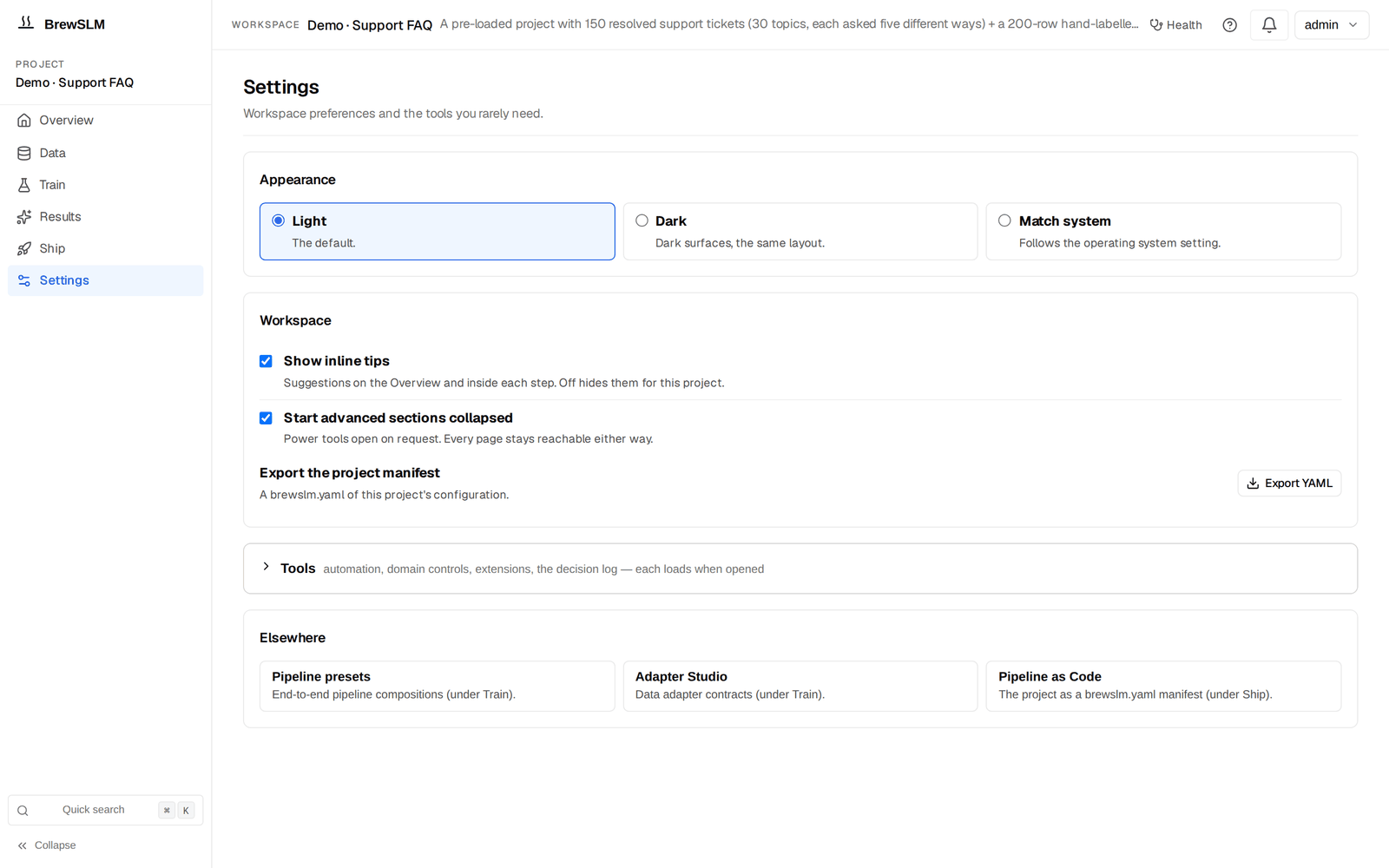
Build the legal pack under Settings → Tools
Open Settings → Tools → Domain Packs (the section loads when you expand it). The Domain Pack panel shows the active pack, a dropdown of installed packs, the hook catalog, and an editor with a Hook Picker and the contract JSON. To create a legal pack:
- Click New Pack. The editor populates with a template. Drop in your identity fields:
{ "$schema": "slm.domain-pack/v1", "pack_id": "legal-contracts-v1", "version": "1.0.0", "display_name": "Legal Contracts", "description": "Overlay for commercial-contract QA: tightened registry gates, default-hook plumbing, intended for the rag-protocol recipe.", "owner": "legal-eng", "status": "active", "default_profile_id": "generic-domain-v1", "tags": ["legal", "contracts", "rag-protocol"] } - Pick your hooks in the editor's Hook Picker. Three selectors — normalizer, validator, evaluator — populated from the installed plugin catalog; a change writes straight into the contract JSON. For a starter pack, leave the defaults (
default-normalizer,default-validator,default-evaluator). Ship a customlegal-normalizerplugin later (jurisdictional-citation regex, footnote-marker stripping, signatory-redaction primitives) and re-point the pack at it. - Tighten the registry gates. Edit the overlay JSON:
Vs the platform default (staging F1 0.65, production F1 0.70, regression cap 0.03), the legal pack tightens every gate. Promoting a regression — even small — into production legal-QA is exactly the decision an auditor will ask about; raising the bar at the pack layer puts it through review by default."overlay": { "dataset_split": { "train": 0.8, "val": 0.1, "test": 0.1, "seed": 42 }, "training_defaults": { "training_mode": "sft", "chat_template": "llama3", "num_epochs": 3, "batch_size": 4, "learning_rate": 0.0002, "use_lora": true }, "registry_gates": { "to_staging": { "min_metrics": { "f1": 0.70, "llm_judge_pass_rate": 0.80 } }, "to_production": { "min_metrics": { "f1": 0.75, "llm_judge_pass_rate": 0.85, "safety_pass_rate": 0.95 }, "max_regression_vs_prod": { "f1": 0.02, "exact_match": 0.02 } } } } - Save. The panel validates against the
slm.domain-pack/v1schema. Common errors: typo'd hook IDs, missingdefault_profile_id, non-semverversion. - Assign to your project. Pick
legal-contracts-v1from the pack dropdown and click Assign to Project. The platform writes the overlay into the project manifest, replacing the general-pack overlay.
✓ Checkpoint: the Domain Packs section lists legal-contracts-v1 alongside the seeded general pack, its Active panel names the new pack, and the goal ledger (Data → Sources → Details → Readiness overview) reflects the tightened registry gates on its promotion-readiness rows. If the pack is listed but Active still shows the general pack, the assignment didn't land — re-pick from the dropdown.
What the pack does not override
Eval pack thresholds (citation rate, hallucination rate, refusal rate, F1) live in the eval pack — the project's pass/fail rule set — not the domain pack; see the Evaluation section. Synthetic-playbook prompts (including the refusal phrase) are also outside the pack's scope. The pack handles training defaults, dataset-split, registry gates, and hook plumbing; eval thresholds and playbook prompts are separate concerns at separate layers.
Build the answer key
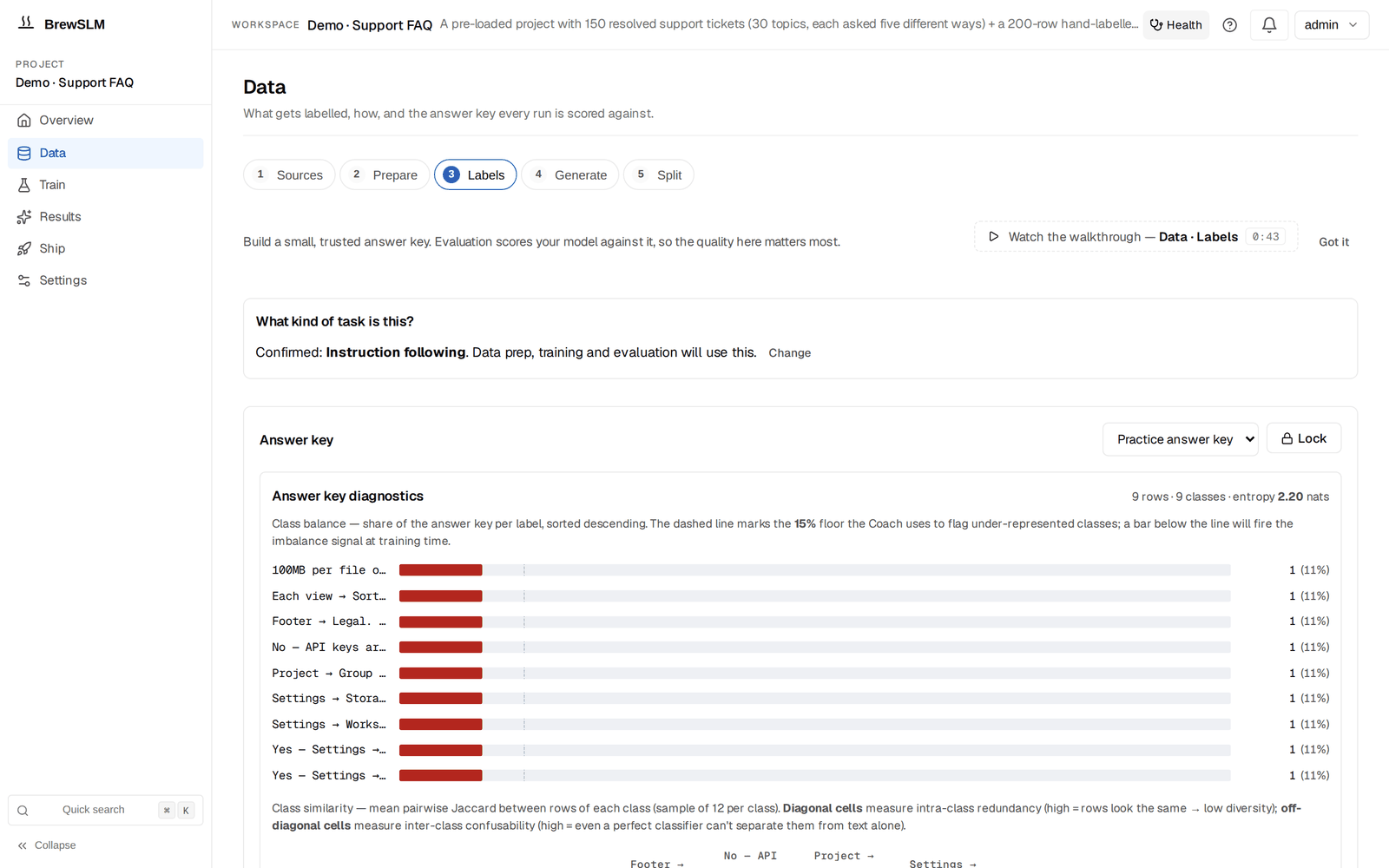
The answer key (BrewSLM's name for the gold set, under Data → Labels) carries the legal-specific behaviour the model inherits. Two complementary paths.
Path A — manual seeding from standing interpretations
Your legal team maintains "standing interpretations" of common clauses: how they read limitation-of-liability, how they evaluate change-of-control language, how they apply indemnification scopes. These are gold. Open Data → Labels (the answer-key card) and for each clause category:
- Paste the clause text into
contextverbatim. - Write the question a partner or in-house counsel would actually ask. "What is the limitation-of-liability cap, and does it carve out indemnification?" forces the model to find both pieces.
- Write the answer your team's standing interpretation gives, ending with the
[#1]citation marker. Use the contract's own section numbering inside the answer.
60-80 hand-seeded rows across the categories you'll see most (limitation-of-liability, indemnification, change-of-control, governing law, IP ownership, confidentiality, term and termination) anchors the model in your team's voice.
Path B — LLM-assisted promotion from CUAD
For broader coverage, use CUAD as a seed source:
- Bulk-import CUAD clauses as context blocks.
- Open Data → Generate → Details → Playbook center, run
rag_protocol_paraphrasewith your CUAD-derived gold seeds as the source — passing the contract clauses as the gold-row context expands a small senior-attorney-curated set into a richer training corpus. Use local Ollama for anything privileged; CUAD itself is public. - Every generated triple lands in the review queue (Data → Generate → Details → Review queue). Review one clause category at a time; accept the good triples.
The teacher will mis-quote clause numbers, conflate "Customer" with "either party", and hallucinate cross-references — read every row before accepting.
✓ Checkpoint: the goal ledger's answer-key readiness row (gold_set, in Data → Sources → Details → Readiness overview) should be green or amber; the clause-category breakdown should show no category with fewer than 8 rows. If one category (say "non-compete") is starving, hand-seed more or run a focused synth round at that category before training.
Refusal examples carry the legal phrasing
Your answer key must contain rows where the right answer is your legal refusal phrase ("I can't provide legal advice; consult counsel. The retrieved clause [does not address X / is silent on Y / is ambiguous on Z]."). Add 8-12 manually. This is how the legal refusal phrase gets imprinted on the model. The pack doesn't change the refusal phrase; gold + synth carry the signal. Without these examples your model falls back to the platform default "I don't have enough context" — fine for support FAQ, inappropriate for legal output.
Splitting train, validation, test
BrewSLM splits when you click Run Split on Data → Split (the Prepare checklist in its Details drawer has Run prepare now too). Ratios come from the pack's dataset_split overlay — 80/10/10 with seed 42 for our legal pack. The split is deterministic so the manifest hash is reproducible.
Override the ratios on the Split step when your answer key is under 80 rows (use 70/15/15 so val/test get at least 10), when one clause category is overrepresented (set Stratify By Field to the clause-category column), or when you want a strict held-out test set (bump test to 20%, score against val for iteration rounds).
Prepared splits land in data/projects/<id>/datasets/, pinned in the manifest with row counts and content hash. If anything drifts later, the goal ledger flags the version mismatch and offers a one-click re-prepare.
Generate synthetic drills
The rag-protocol recipe ships three playbooks. The legal flavour shows up in the prompts you customise, not in the pack itself:
- rag_protocol_paraphrase — citation-discipline drill
- Holds clause and answer constant; varies the question wording. "What's the LoL cap?", "How much can each party be liable for?", "Does the contract limit damages?" — same answer, same
[#1]citation. Generate ~50 rows. - rag_protocol_refusals — context-insufficient drill
- Questions the retrieved clause genuinely cannot answer, paired with the refusal phrase. Two flavours: questions whose answer is in a different clause, and questions about something the contract doesn't address at all. Generate ~30 rows.
- rag_protocol_format — register-invariance drill
- Same question in different registers — partner-formal ("Could you indicate the limitation-of-liability cap, including any carve-outs?"), in-house terse ("LoL cap?"), client-informal ("how much can they sue us for"). Same clause, same answer, same citation. Generate ~30 rows.
Known gap: the pack does not swap playbook prompts
Per-pack refusal-phrase customisation would, in principle, be a great fit for the domain pack — it is not implemented today. Packs are applied at project-create time as a typed config bundle; synthetic playbooks read prompt text from the project's synth config separately. To get the legal refusal phrase into synth output, customise the rag_protocol_refusals playbook's prompt text in the synth config before running it, or hand-edit a few generated rows in the review queue before accepting. Both are fine stopgaps; lifting the refusal phrase into the pack contract would be a natural future enhancement.
Open Data → Generate (the Playbook center sits in its Details drawer). Click each card, set target count, pick a backend (Ollama for anything privileged; OpenAI / Anthropic / DeepSeek are fine for CUAD-seeded rows). Generation runs as a background Job; the bell tracks progress.
Review the synth queue
Every generated row lands in the Review queue (Data → Generate → Details) with review_status="pending", grouped by source playbook. Per-row inspection is slower for legal than for support FAQ — verify the citation points at the right sub-clause, the language doesn't soften a hard cap, the refusal phrase matches your approved wording. Three per-row actions:
- Accept — the row joins training on the next split.
- Reject — soft-reject with a reason tag. Legal-specific:
missing-citation(no[#N]),wrong-jurisdiction(federal vs state confusion),over-claims(asserts more than the clause supports). - Purge — reason-grouped bulk delete. Rejected rows are selectable and bulk-droppable; never an all-or-nothing call.
Per-row confidence scores surface too. Rows under 50% confidence usually have a hallucinated cross-reference or invented section number — exactly the failure mode to catch before training.
Training configuration
Open Train — one form: base model, task, seeds, run name, then Train. The recipe defaults plus the pack overlay give you a sensible starting point (the hyperparameters sit under More options → Model and hyperparameters and LoRA and advanced training):
- Base model
HuggingFaceTB/SmolLM2-135M-Instruct. Alternative:Qwen/Qwen2.5-0.5B-Instructfor clauses over ~400 tokens.- Adapter
- LoRA, rank 16, alpha 32, target modules
q_proj,k_proj,v_proj,o_proj. - Learning rate / epochs
- 2e-4, 3 epochs — both from the pack's
training_defaults. The protocol is what's being learned, not the facts. - Batch + grad accumulation
- Batch 4, accumulate 4 → effective 16. Long clauses (300-500 tokens) push memory higher than support-FAQ; on 8 GB drop batch to 2 with accumulate 8.
Expected runtime: 8-20 minutes on a single GPU (RTX 3060+), 20-45 minutes on CPU. The runs list below the Train form shows live loss + sparkline; if loss isn't dropping after ~50 steps, cancel and check the data.
✓ Checkpoint: the run's row in the runs list shows a sparkline dropping from ~2-3 to ~0.3-0.5; bell shows a "training" notification. When it completes, BrewSLM runs the lift check against the base model on its own and Results → Verdict shows the summary card (or Evaluate this run if the check didn't run).
Read the trainability forecast
Before training, the platform pre-computes a trainability forecast: given current data + gold + base model, what's the predicted pass rate against the pass/fail rules? The goal ledger (Data → Sources → Details → Readiness overview) shows it as the predicted_pass row; the forecast itself sits under Train → More options → Plan and gaps.
With the legal pack's tightened registry gates AND the tightened eval pack, predicted-pass lands lower than T1's would — the gates are stricter, harder to clear, intentionally. For a healthy legal project you want predicted pass ≥ 60% (T1's was 65%; the legal pack pulls this band down), answer-key readiness ≥ 100% (typically ≥100 rows because the clause vocabulary is wider than support FAQ), and data ready = met.
If the forecast is below 50%, training will fail the pass/fail rules. Add data before training — the blockers panel tells you which component is weakest and which clause category is starving.
Evaluation: tightened pass/fail rules via a custom eval pack (rule set)
The default rag-protocol eval pack (evalpack.rag_protocol.discipline) gates four required behaviours: F1 ≥ 0.55, citation rate ≥ 0.75, hallucination rate ≤ 0.15, refusal rate ≥ 0.80; plus two optional (format consistency, safety pass rate). For legal, the citation and hallucination thresholds are too loose — every uncited answer is a potential malpractice exposure.
The scaffolded rule set's + Add rule covers a one-off rule; to tighten a whole pack the flow is copy-edit-register-select:
- Export the discipline pack as a template. The Scaffolded pass/fail rule set panel on Results → Failures gives you the JSON; save it locally.
- Edit the thresholds. Bump
min_citation_ratefrom 0.75 to 0.85. Tightenmax_hallucination_ratefrom 0.15 to 0.10. Leave F1 and refusal floors as-is — the legal pack's bite is on citation and hallucination. Rename toevalpack.legal_contracts.discipline_v1and bump the version. - Register the custom eval pack. Drop the JSON into the eval-pack registry surface; the validator runs it through the
slm.evaluation-pack/v1schema and surfaces errors. - Assign it to your project. In the Project rule set picker on Results → Failures (the Pass/fail rules card), switch from the default discipline pack to
evalpack.legal_contracts.discipline_v1. The tightened rules apply next eval run.
The goal ledger's eval_pass_rate row expands into a per-rule breakdown — "citation 0.82 / ≥ 0.85 FAILED, hallucination 0.08 / ≤ 0.10 passed, refusal 0.87 / ≥ 0.80 passed, F1 0.61 / ≥ 0.55 passed." That tells you which playbook to re-run.
When the eval fails
| Symptom | Root cause | Fix |
|---|---|---|
| Citation rate < 0.85 | Too few citation drills with legal-style citation formats (statutory cites, section refs) | Run another rag_protocol_paraphrase round (50+ rows). Customise the prompt to nudge the teacher toward statutory and section-reference citations rather than bare [#1]. |
| Hallucination > 0.10 | Answer key thin in the failing clause category | Add 20-30 answer-key rows in the category, retrain. |
| Refusal rate < 0.80, model answering everything | Too few refusal rows; phrase didn't imprint | Run rag_protocol_refusals with 30+ rows. Customise the prompt so the teacher's refusal phrase matches your team's approved phrase exactly — otherwise the model imprints a near-miss. |
| Refusal rate > 0.95, model refusing everything | Too aggressive refusal training; gold's answer-cases didn't outnumber refusal-cases enough | Add more positive answer-with-citation rows to gold and re-balance. |
| Wrong jurisdiction cited (federal where contract specifies state, California where Delaware is the governing law) | Gold didn't expose multi-jurisdiction clauses; model anchors on the most common in your archive | Hand-seed gold rows from contracts with explicit alternative governing-law clauses. The governing-law clause should sit alongside the asked-about clause as context. |
| Every rule fails by 10+ points | Task is knowledge-bound, not behaviour-bound | Accept the reroute-to-RAG recommendation. The reroute clones the project as a RAG-first sibling (base + retrieval, no LoRA); often that's enough when the task is "find the clause and quote it." |
When the reroute recommendation on Results → Failures surfaces a failure cluster, expand the "Why this fired?" disclosure. You'll see actual example failures rather than just the recommendation verb — use the cluster to seed the next synth round.
Ship the model (privileged-data-aware)
Once the custom eval pack passes, ship in three steps:
- Export the LoRA adapter. Ship → Package → New export writes the adapter weights, tokenizer config, and deploy manifest into
data/projects/<id>/exports/. Adapter is ~5-15 MB. - Deploy via vLLM (or Ollama). Both expose a chat-completions endpoint:
Ollama variant:cd data/projects/<id>/exports/run-2026-06-04 ./deploy-vllm.sh # Serves base model + LoRA adapter on localhost:8000 via the OpenAI-compatible chat-completions API. # Auto-RAG BM25 index loaded from data/projects/<id>/auto_rag/./deploy-ollama.sh. Both host entirely on your hardware. - Wrap the chat-completions endpoint in your own
/askmicroservice. Don't expose vLLM directly to legal-team callers. The microservice owns three things vLLM doesn't: privilege-aware logging (questions, retrieved context, and answers redacted or stored in a privileged-data tier rather than "log everything to ELK"), authorisation against the legal team's roster (not every employee should be able to query the model — the act of consulting it may itself be discoverable), and the audit trail (who asked, when, which retrieval index version was active, which adapter version answered, and what the answer was).
Legal output is not casual output
The chat playground (Results → Try it) is fine for smoke-testing. Do not point the legal team at it as their interface — it's a debugging surface, no authorisation, no audit logging, no privilege markers. The /ask microservice is what the team consumes.
Smoke-test on Results → Try it first. Ask 10 real questions; check each answer cites the right clause and the obvious "I shouldn't answer that" cases return the legal-refusal phrase verbatim. The per-turn provenance footer (which adapter, which chunks, what latency) is your sanity check before promoting to the /ask wrapper.
What's next
You have a deployed contract-clause QA model with tightened citation discipline, a legal refusal phrase, and a custom domain pack that captures the conventions. Three next moves:
- Extend the pack to other legal verticals
- Employment law, IP licensing, M&A, regulatory compliance — each has its own clause vocabulary and refuse-or-answer calculus. Clone
legal-contracts-v1with Duplicate + Open Editor (it bumps the patch version automatically), edit identity + overlay, save under a newpack_id. Hooks usually stay the same; the thresholds and the eval pack alongside it shift. - Per-jurisdiction sub-packs
- GDPR vs CCPA vs HIPAA, or Delaware vs California vs New York — each regime carries different statutes and precedential weight. Per-jurisdiction packs encode the differences: same recipe, same base adapter, different pack + different retrieval index per regime. The pack's
tagsfield is the natural place to label which jurisdiction applies. - Contribute the pack upstream
- If your conventions turn out to generalise — citation discipline at 0.85, hallucination cap at 0.10, default-hook plumbing, the legal-refusal pattern — they may be worth contributing back as a platform-shipped pack. Copy the contract JSON out of the editor; submitting it to the platform repo is the rest.
For more end-to-end tutorials covering other recipes, head back to the tutorials hub.
Key terms
- rag-protocol recipe
- BrewSLM recipe that trains a small model to cite the retrieved context, refuse cleanly, and hold output format. Domain-agnostic — facts live in the retrieval index, not the weights. Same recipe powers T1 (support FAQ) and T8 (legal contract QA); the difference is the pack on top.
- Domain pack
- Typed configuration bundle persisted as JSON against the
slm.domain-pack/v1schema. Carries identity, hook references, and overlays for dataset split, training defaults, and registry gates. The platform seedsgeneral-pack-v1as a safe default; vertical packs (like the legal one in this tutorial) are user-built. - Overlay
- The fields inside a pack contract that override platform defaults. Merged into the project manifest at pack-assignment time; not dynamically reapplied at runtime.
- Registry gates
- The promotion thresholds the pack imposes for training → staging → production. Separate from eval-pack gates but stack with them.
- Eval pack
- The pass/fail rules the trained model is scored against (the rule set in the UI). Tightening them is a separate flow: copy the scaffolded JSON, edit, register, and select your custom pack as the Project rule set on Results → Failures. The domain pack does not override eval thresholds.
- Citation marker
- The
[#N]token in an answer that points at the source clause. The training signal the model learns to emit when grounded in a retrieved passage; raised to a 0.85 floor by the legal eval pack. - Legal refusal phrase
- "I can't provide legal advice; consult counsel." The recognisable refusal shape this tutorial imprints via gold + synth (not via the pack itself — packs don't currently customise playbook prompts).
Check yourself
Answers are saved to this browser.